5 Best Mailshake Alternatives & Competitors for 2025 (Picked by GTM Engineers)

If you’ve used Mailshake for cold email outreach, you probably like how simple it is.
It’s easy to start campaigns, set follow-ups, and send emails straight from Gmail or Outlook.
But after a while, most users hit the same wall, Mailshake feels too basic for what they’re paying.
Many reviews say the same thing: it’s easy to use, but the design looks dated, features feel limited, and the price doesn’t match the value.

Some users even mention issues like lead tracking mistakes, template bugs, and slow support replies.
So if you’re reading this, you’re likely asking the same question:
“What’s a better Mailshake alternative I can use , something modern, powerful, and still simple?”
I’ve gone through dozens of tools and real GTM (Go-To-Market) setups to find the best ones.
The truth is, newer outreach platforms are giving a lot more for less money, things like:
- Built-in AI for writing and personalization
- Better email deliverability (no more landing in spam)
- Multi-channel outreach (email + LinkedIn + calls)
- Smarter campaign analytics
- And flexible pricing that scales as you grow
In this guide, I’ll walk you through the 5 best Mailshake alternatives, hand-picked by GTM engineers who actually run large-scale outreach every day.
By the end, you’ll know exactly which tool fits your workflow, whether you’re a solo founder, SDR, or agency running multiple accounts.
Let’s start with why more teams are switching away from Mailshake in the first place.
TL;DR – 5 Best Mailshake Alternatives
- Salesforge – Best for scalable cold email and LinkedIn outreach with built-in warm-up and unlimited inboxes.
- Smartlead.ai – Best for solo users who need unlimited inboxes and budget-friendly email warm-up.
- Lemlist – Best for running creative, personalized campaigns across email and LinkedIn.
- Apollo.io – Best for combining a large B2B database with basic outreach and enrichment tools.
- Reply.io – Best for agencies that want multichannel outreach through email, LinkedIn, SMS, and calls.
👉 Try Salesforge today and see how easy cold outreach can be when your emails actually reach the inbox.
Why Consider an Alternative to Mailshake?
Mailshake is simple to set up and works well for small teams using Gmail or Outlook. But once you start scaling, it can feel a bit limited.
Here’s what most users notice before switching:
1. Too basic for the price
Even at $99/month, Mailshake lacks newer essentials like AI personalization, inbox rotation, or deliverability tracking.

2. Outdated experience
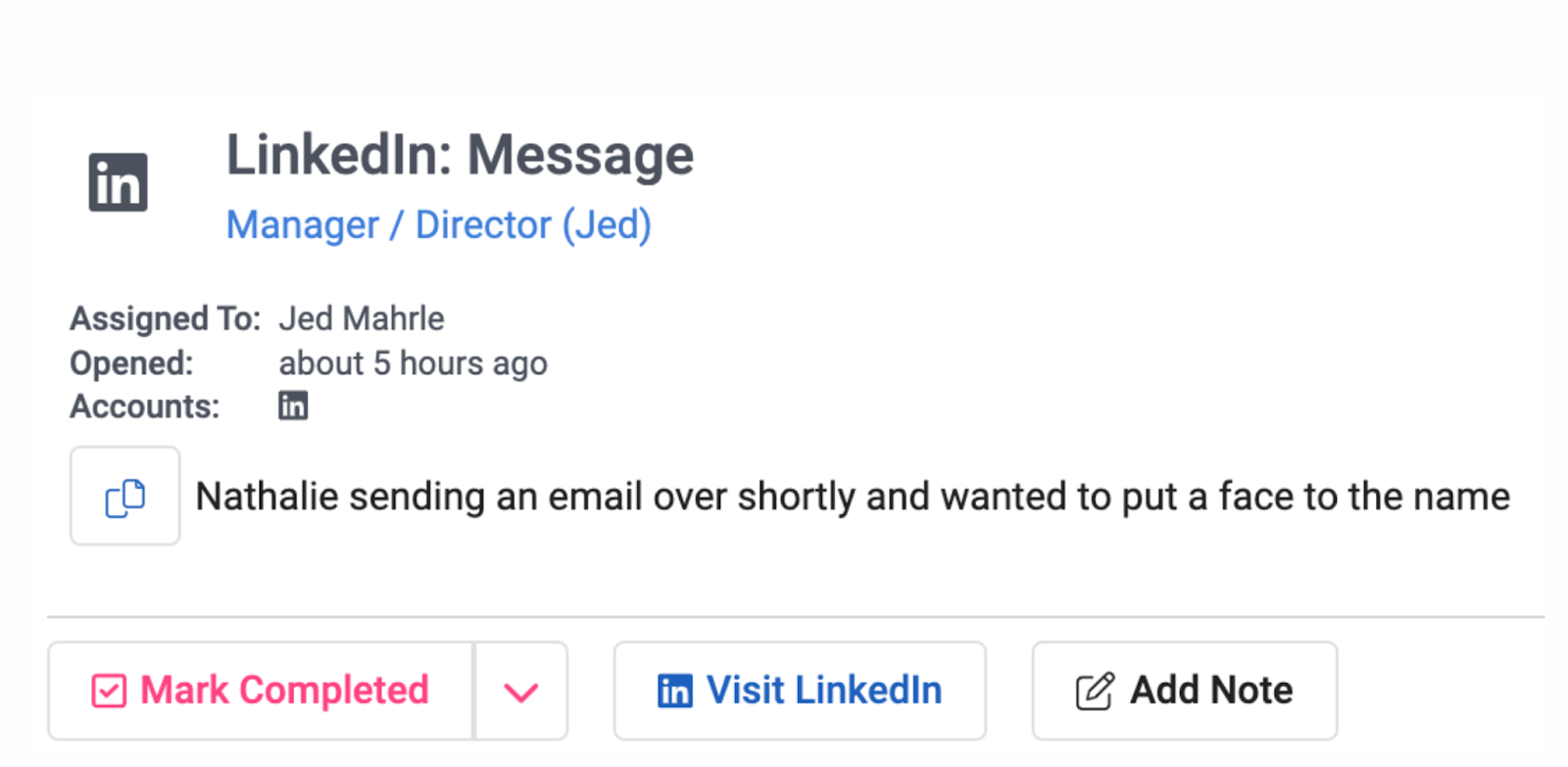
The dashboard works but feels clunky. Managing templates or sequences takes more clicks than it should.
3. Hard to scale
You can only connect a few inboxes, which limits growth if you handle multiple clients or domains.
4. Inconsistent deliverability
Built-in warm-up helps, but you can’t fully control DNS or rotation, so spam issues can still happen.
5. Support can be slow
Users report delays or small bugs that interrupt campaigns, a real problem if you send daily.
If you’ve ever thought, “Mailshake is fine, but I wish it did more,” you’re not wrong.
That’s why many teams are moving to modern tools that offer more power, control, and better deliverability for the same or lower cost.
Let’s look at the 5 best Mailshake alternatives in 2025 that actually make scaling easier.
5 Mailshake Alternatives for 2025
1. Salesforge – Best Mailshake Alternative for Cold Email and Deliverability

Let’s start with the one that solves a lot of the problems you might’ve had with Mailshake, that is, Salesforge.
If you’ve been using Mailshake and feel like you’re stuck with limits, deliverability issues, or just paying too much as you grow, this tool is worth checking out.
Why is Salesforge a Better Choice Than Mailshake?
Mailshake is simple and works fine when you’re just starting out.
But once you try to send more emails, manage more inboxes, or scale across LinkedIn and other channels, it gets frustrating fast.
That’s where Salesforge comes in. And it just makes things easier.
- No limits on mailboxes or senders
You don’t have to pay extra for each user.
You can add unlimited email accounts and LinkedIn senders.
That means you can scale without getting punished for growing.
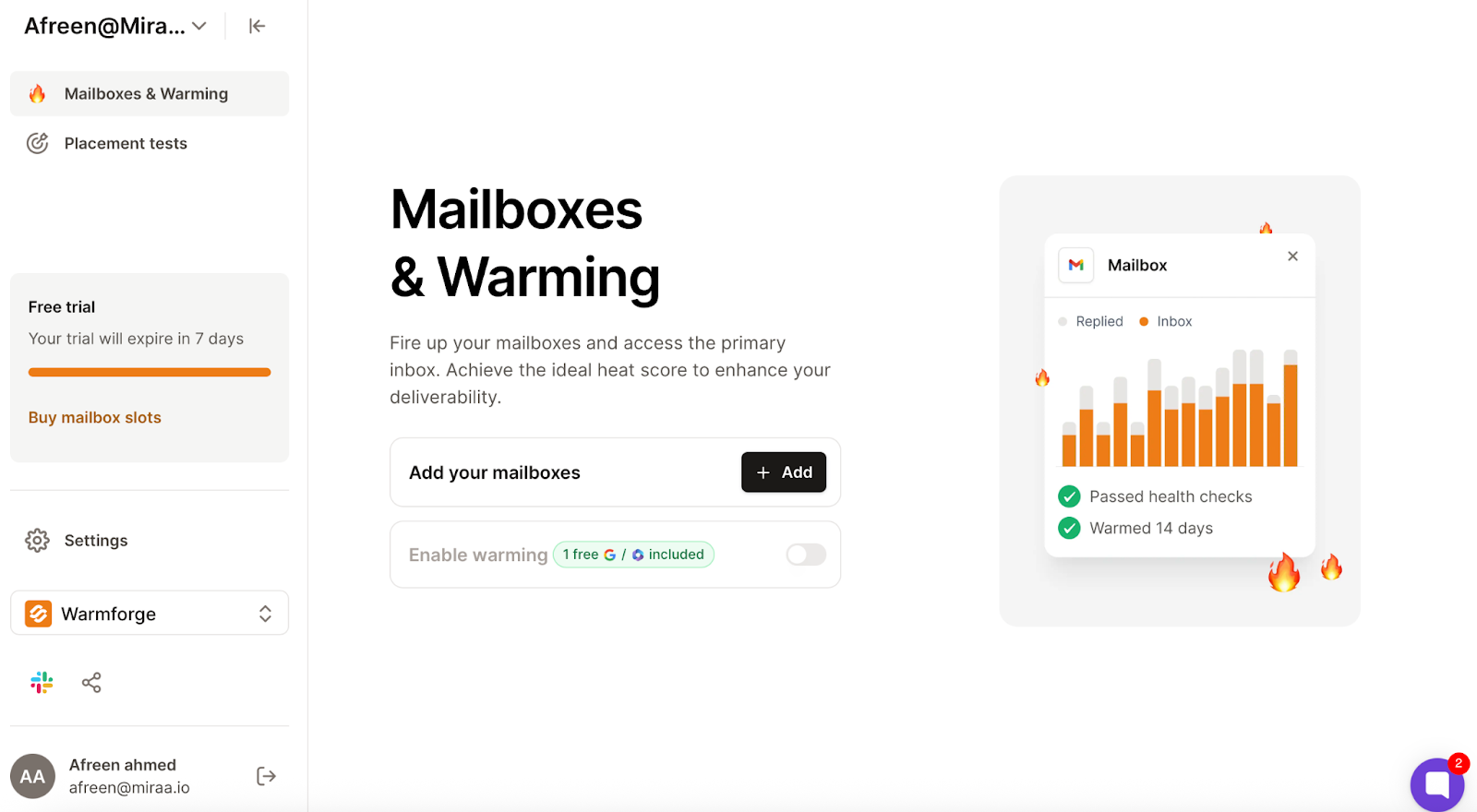
- Free warm-up that actually works
Every plan includes a warm-up through Warmforge, which uses real inboxes (not fake SMTP ones). So your emails land in your inbox, not spam.
- One inbox for all replies
Salesforge has something called Prime Box™. It pulls in replies from all your emails and LinkedIn in one place.

Even if someone replies from a different email, you won’t miss it.
- Built-in deliverability tools

You can check things like SPF, DKIM, DMARC, inbox placement, and domain health, all without leaving the platform.
- Optional AI SDR (Agent Frank)
Don’t want to write or manage campaigns yourself? Agent Frank can do it for you.
But if you prefer to stay hands-on, you can run it yourself, totally up to you.
Salesforge Pricing (Quick Overview)

Salesforge gives you more — without charging for every little thing:
- Pro Plan –
$40/month (billed yearly)
For solo users. You get 1,000 contacts, 5,000 emails per month, and 1 inbox with warm-up.
- Growth Plan –
$80/month (billed yearly)
For growing teams. You get 10,000 contacts, 50,000 emails, unlimited inboxes, LinkedIn outreach, and Primebox.
- Agent Frank (AI SDR) –
$416/month (billed yearly)
This is the AI option. It handles your outreach for you, start to finish.
No per-seat pricing. You only pay for what you need.
Mailshake vs Salesforge
Should You Use Salesforge?
Here’s when Salesforge makes more sense than Mailshake:
- You’re using more than one inbox
- You want to send emails and LinkedIn messages
- You care about inbox placement and deliverability
- You’re tired of paying per seat
- You don’t want to deal with 4 different tools just to fix email issues
If Mailshake feels too limited or too expensive for what you’re trying to do, Salesforge gives you more room to grow, better results, and fewer tools to manage.
It just makes sense, especially if you’re scaling fast or running outreach for clients.
👉 Let’s move to the next one, Smartlead.ai, and see how it compares.
2. Smartlead.ai – A Mailshake Alternative with Inbox Rotation (But Comes With Tradeoffs)

If you’ve been exploring Mailshake alternatives, you’ve probably come across Smartlead.ai.
It’s known for offering unlimited inboxes, warm-up, and advanced automation, all at a pretty low price.
But from what real users say, it’s not all smooth sailing.
Let me walk you through it.
Why is Smartlead better than Mailshake?
- Unlimited inboxes and warm-up included
Just like Mailshake’s top plans, Smartlead lets you connect unlimited email accounts and run unlimited warm-up, even on their basic plan.
- Simple Clay integration
If you use Clay for lead data, Smartlead makes it easy to connect and sync campaigns.
- API access and custom filters
Some users liked the API setup and being able to tag replies however they want, good for agencies or custom workflows.
- Dedicated IPs & dynamic sending
Smartlead offers SmartSender and SmartDelivery features to help rotate senders and land in inbox, though some users question the actual results.
- Affordable pricing
Many users said the price is fair for the features offered (starting at $39/month).
What Users Say Needs Work on Smartlead?
Even with all these features, a lot of people said Smartlead didn’t live up to the promise.
- Way too many bugs
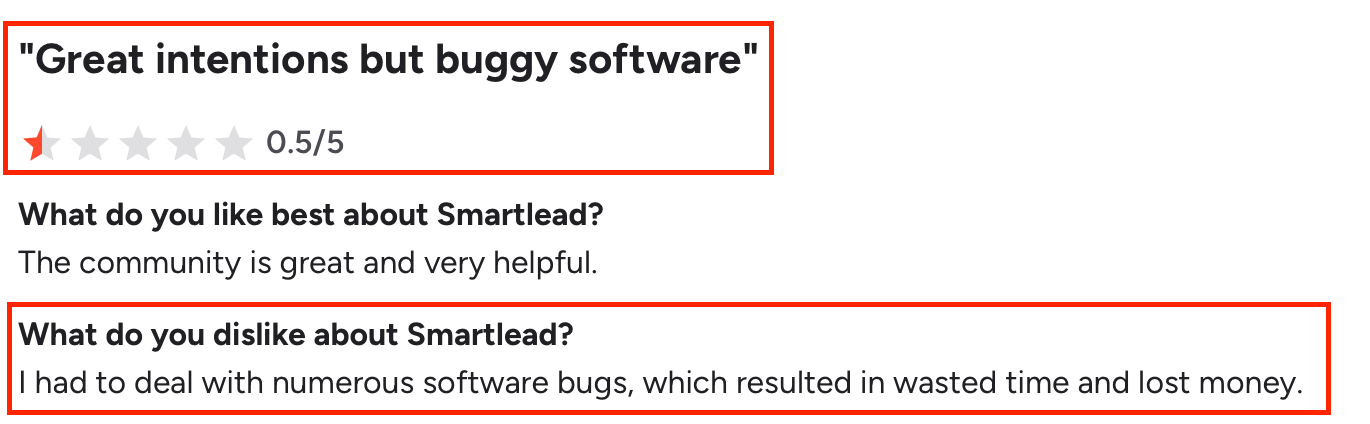
Many users called it “buggy” or “frustrating.”
Issues with campaign setup, adding variables, viewing replies, and deleting variants came up again and again.
- Slow or unhelpful support

Support replies can take a day or more.
Some users said their bugs were ignored or blamed on email providers.
- Warm-up results not matching reality

Some said Smartlead showed “100% deliverability”, but their emails still went to spam or bounced.
One reviewer said the warm-up pool might be hurting domains, not helping.
- No security controls
If you run a team, Smartlead doesn’t let you block staff from downloading lead lists or deleting data.
That’s a big issue for agencies or large teams.
- Missing or limited analytics

One user pointed out you can only see results from 5 campaigns at a time, and even that data was incomplete.
Smartlead.ai Pricing
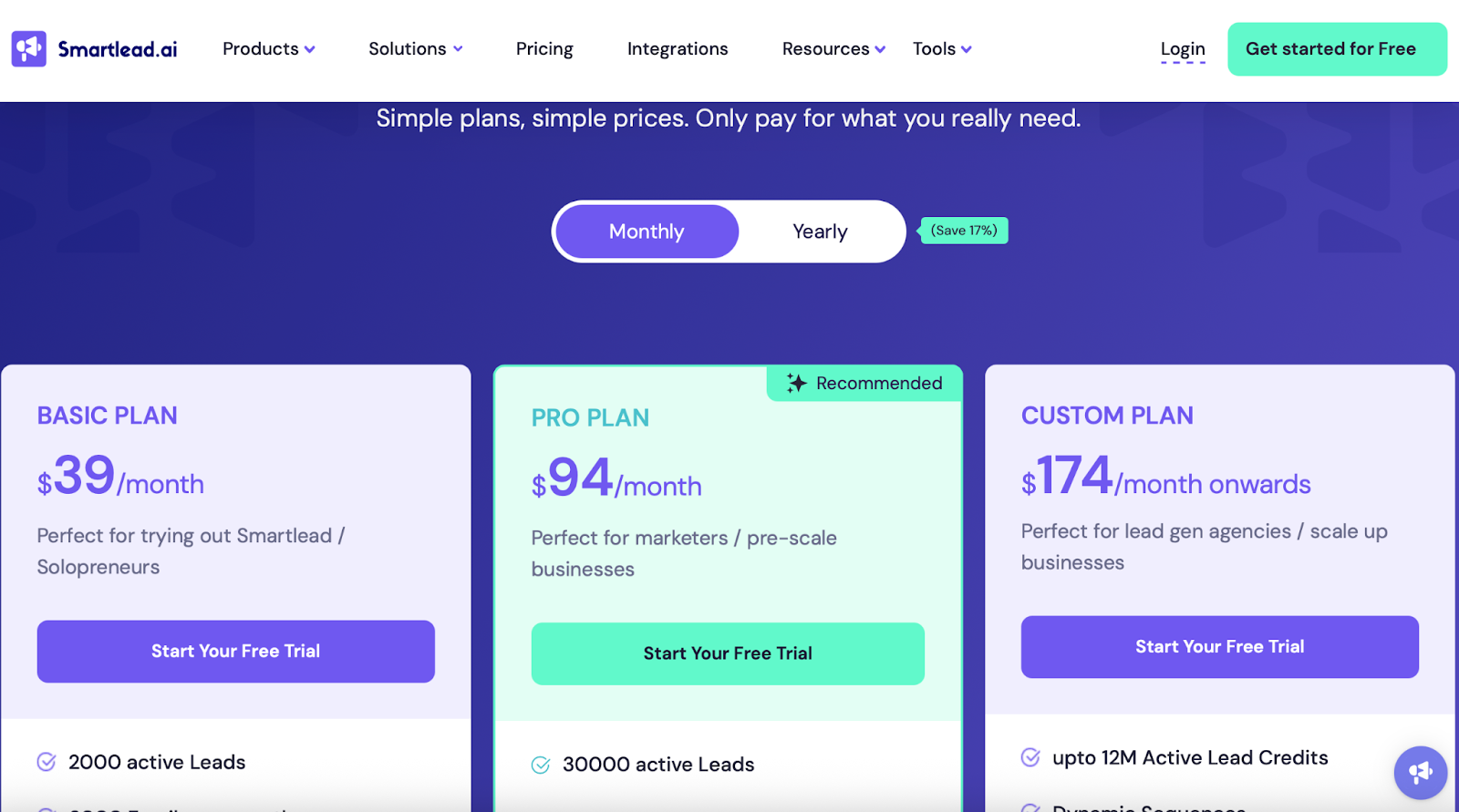
Smartlead offers 3 main plans:
- Basic Plan – $39/month
2,000 leads, 6,000 emails/month, unlimited inboxes and warm-up, plus API access.
- Pro Plan – $94/month
30,000 leads, 150,000 emails/month, ChatGPT4 integration, webhooks, and unlimited seats.
- Custom Plan – From $174/month
For agencies or large teams. Up to 12M leads and 60M emails/month, plus all features unlocked.
👉 No per-inbox fees. All plans include unlimited warm-up.
Mailshake vs Smartlead.ai: Key Differences
Should You Use Smartlead?
Smartlead might be a good Mailshake alternative if you’re a solo user, don’t need LinkedIn outreach, and want unlimited inboxes on a budget.
But based on reviews:
- It’s not great for teams that care about security or need strong support
- The platform has a lot of bugs and missing features
- You might spend more time fixing issues than running outreach
Smartlead.ai sounds good, but in real use, it has too many issues right now for most teams.
If you want something more stable, with better support and full control, there are better Mailshake alternatives out there.
5 Smartlead Alternatives & Competitors in 2025
👉 Next up: Let’s compare Lemlist, known for its personalization and visual email outreach.
3. Lemlist – Mailshake Alternative With Multichannel Features (But Many User Complaints)

If you're looking for a Mailshake alternative that offers multichannel campaigns, LinkedIn outreach, and email warm-up in one place, Lemlist might catch your eye.
But let me be honest with you, a lot of users say Lemlist looks better on the outside than it works on the inside.
Why is Lemlist a Mailshake alternative?
- Built-in multichannel features
Lemlist includes email, LinkedIn, and even WhatsApp messaging in higher-tier plans.
That’s something Mailshake doesn’t offer.
- Warm-up included (lemwarm)
You get access to their built-in warm-up tool, which is meant to help improve deliverability over time.
- Large lead database
You can pull leads from a 600M+ database and enrich them with job titles, phone numbers, and LinkedIn URLs.
What Users Struggle With Lemlist?
Despite the features, users reported serious issues:
- Customer support is slow and unhelpful

Many reviews mention delays of 10+ hours, poor issue resolution, and a lack of follow-up.
Some even struggled to get refunds.
- Buggy and unstable
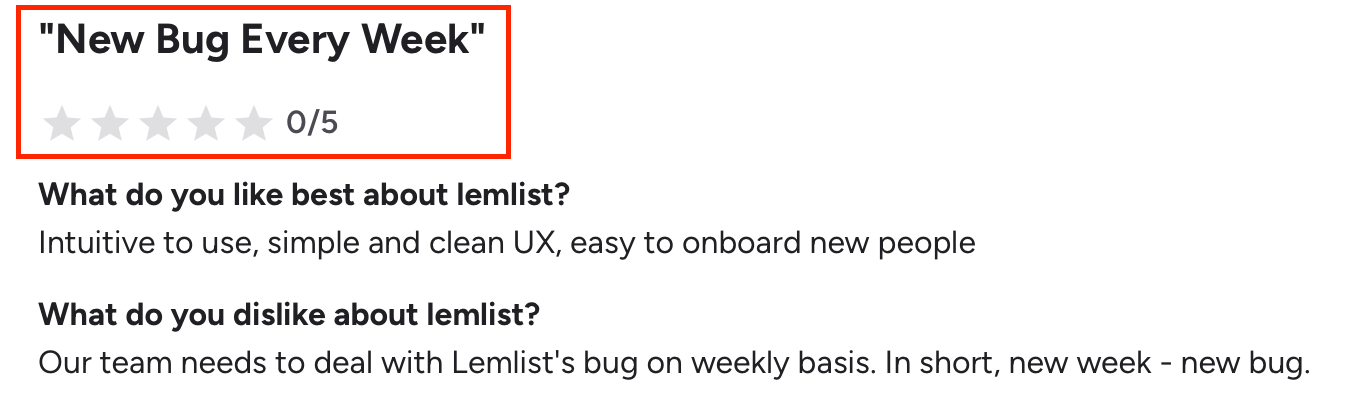
Users said the software breaks frequently.
Weekly bugs, broken sending, or campaigns not running on time were common complaints.
- Clunky UI and poor user experience
Lemlist has been called "confusing" and "hard to figure out."
Some users had to test things on dummy accounts just to understand how it works.
- Email tracking is misleading
Lemlist may count your own clicks or opens as engagement, which gives a false sense of performance.
- Drafts can't be edited after queuing

You can't go back to review or change a queued email, which is frustrating during live campaigns.
- Refund issues and billing concerns
Users reported being double-charged, blocked from their accounts after disputes, or stuck on plans they couldn't downgrade.
Lemlist Pricing
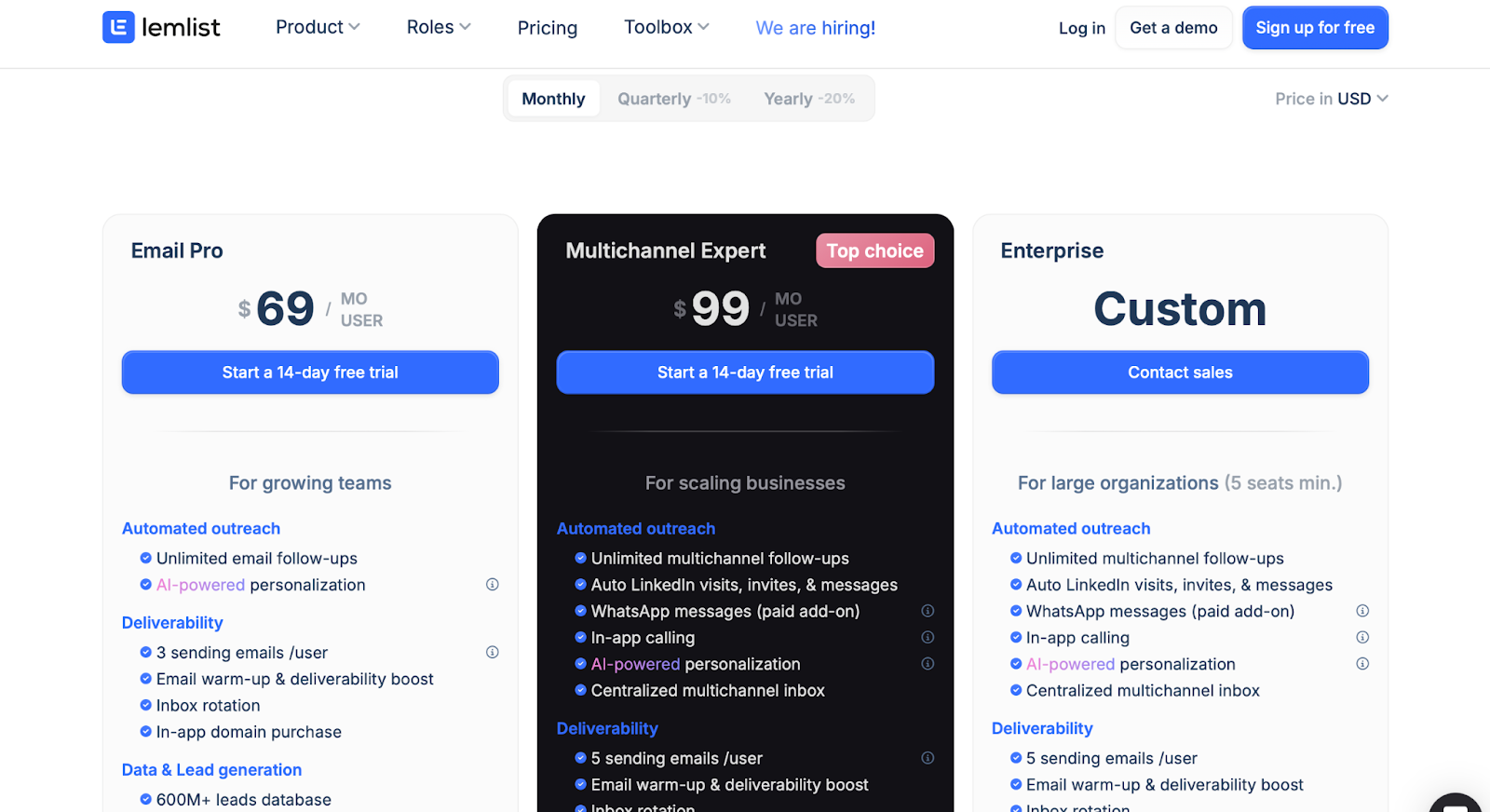
- Email Pro Plan – from $69/user/month
Includes automated email outreach, AI personalization, warm-up, and 3 inboxes per user.
- Multichannel Expert Plan – from $99/user/month
Adds LinkedIn, WhatsApp, in-app calling, and 5 inboxes per user.
- Enterprise Plan – Custom pricing
Designed for larger teams with extras like SSO, account managers, and advanced permissions.
Mailshake vs Lemlist: What’s Different?
Should You Pick Lemlist Over Mailshake?
Choose Lemlist only if you need multichannel outreach (like LinkedIn + WhatsApp) in one tool.
But if you care about:
- Stability
- Clear tracking
- Good customer support
- A UI that doesn’t confuse you
...then it might not be the right move.
A lot of users switched after hitting too many bugs, bad support, and billing issues.
Next up: Let’s explore Apollo.io, a tool that adds data enrichment and CRM features to the mix.
4. Apollo.io – Feature-Rich but Frustrating Mailshake Alternative

If you’ve been using Mailshake and wish it came with a built-in B2B contact database, Apollo.io might catch your attention.
It combines lead data, automation, and outreach in one platform, but the user experience isn’t as smooth as it sounds.
Why is Apollo.io a Mailshake alternative?
- AI Features:
The platform offers automation, AI-powered email writing, and workflow customization.
Many users appreciated these, especially for the price.
- Wide Data Access:
You get access to a massive B2B contact database and enrichment tools.
- Low Starting Price:
Apollo is one of the most affordable platforms out there, especially for startups.
What’s Not Working Well in Apollo.io?
- No Real Customer Support:
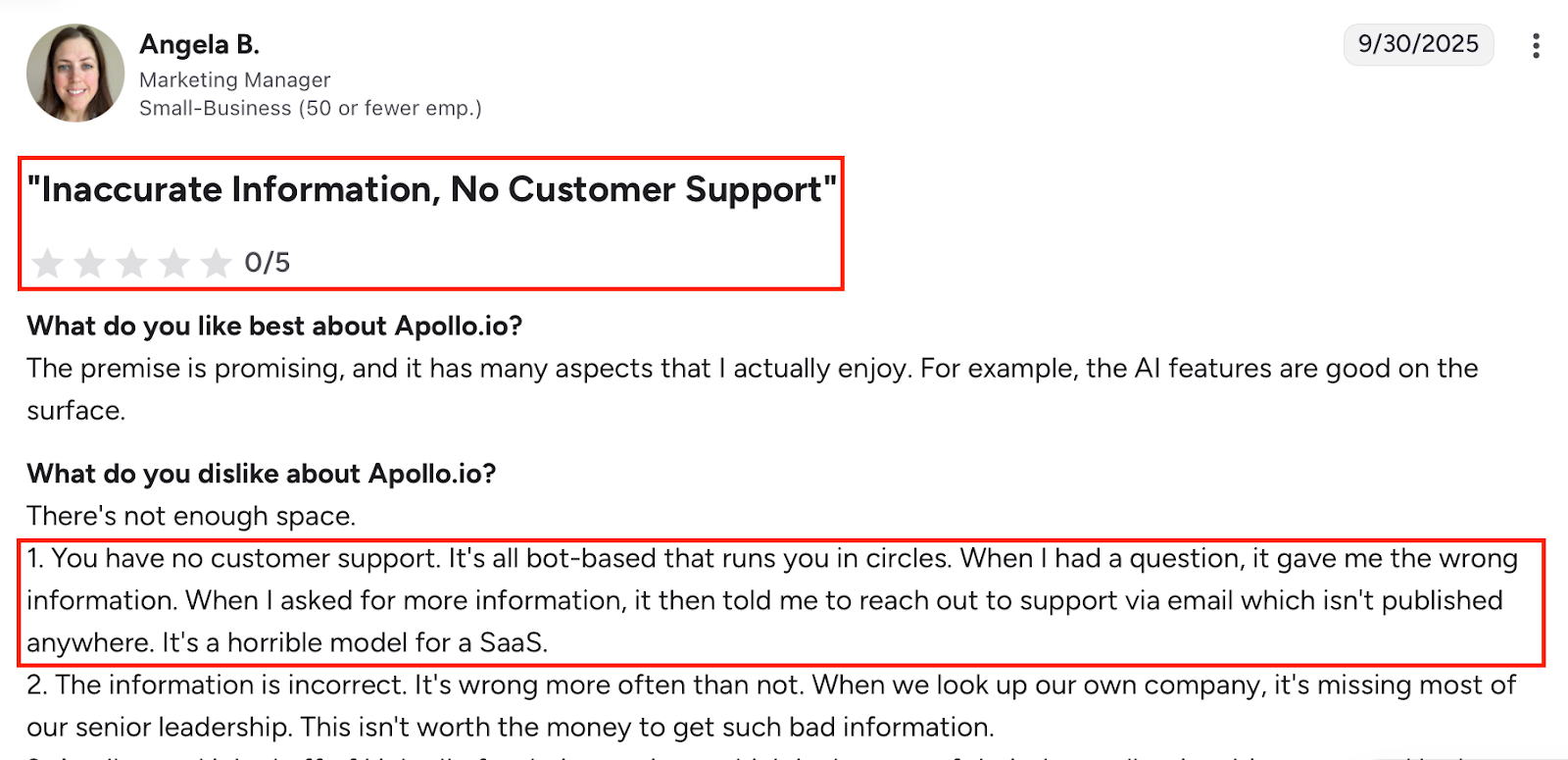
Users say support is mostly bots.
Even when escalated to email, it’s slow and unhelpful.
Some users never got replies at all.
- Bad Data Quality:
Users reported outdated or missing company and contact data.
One review even mentioned their own team was listed incorrectly.
- Unstable Features:
The UI is slow and buggy. Uploading lists often fails. Some experienced platform downtime.
- Shady Billing Practices:
Several users were auto-upgraded to new pricing without notice. Others lost discounts or were charged for unused LinkedIn seats. Refunds were hard to get.
- Poor CRM & Outreach Integration:
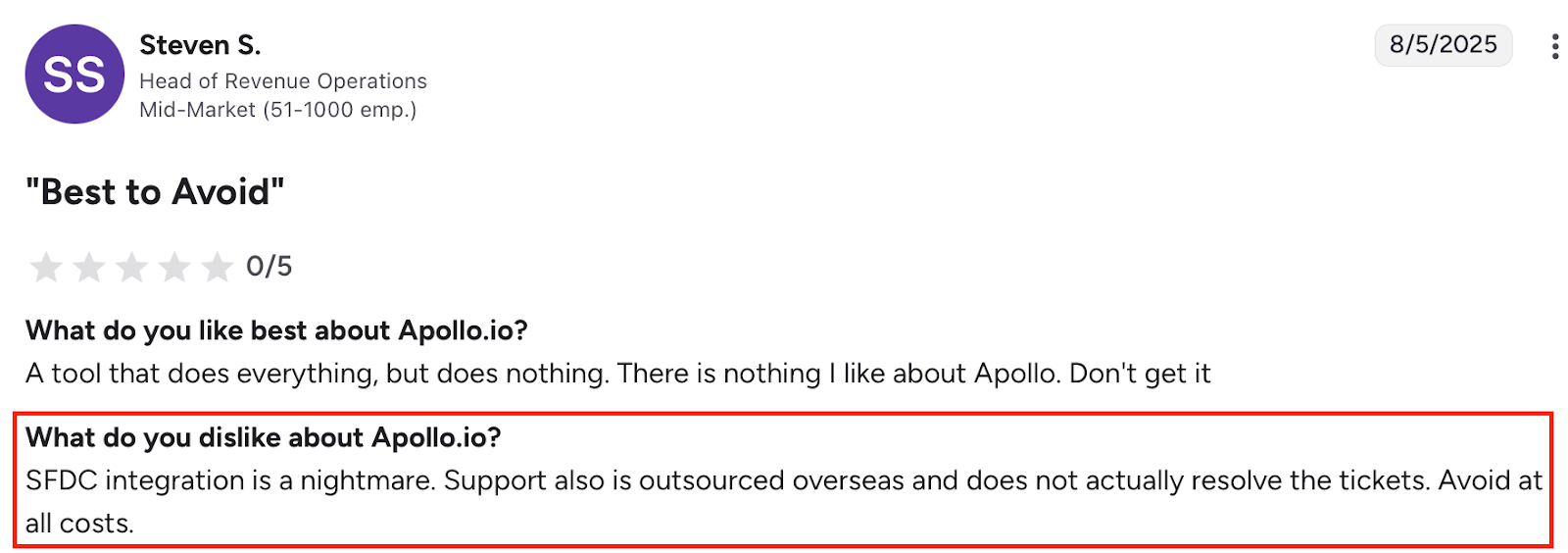
The Salesforce integration was called a “nightmare.” Email deliverability is also a concern, with users being flagged by Google for spam sending.
Apollo.io Pricing

- Free Plan: $0/mo – 100 credits, 2 sequences
- Basic Plan: $59/mo per user – 2,500 credits, CRM integrations, enrichment
- Professional Plan: $99/mo per user – 4,000 credits, workflows, dialer, AI tools
- Organization Plan: $149/mo per user (min 3 users) – 6,000 credits, advanced security, international dialer
Plans are billed monthly (or discounted annually), but keep in mind: many users warned of unannounced changes.
Mailshake vs Apollo.io
Should You Pick Apollo.io Over Mailshake?
If you’re on a tight budget and want tons of features, Apollo might look tempting.
But the real user experience tells another story, one filled with billing issues, bad data, poor support, and technical headaches.
For many users, Apollo.io became more trouble than it was worth.
Unless you’re ready to deal with constant friction, you might want to stick with a more stable Mailshake alternative.
5 Best Apollo.io Alternatives & Competitors in 2025
5. Reply.io – Multichannel Cold Outreach Tool With Too Many Red Flags
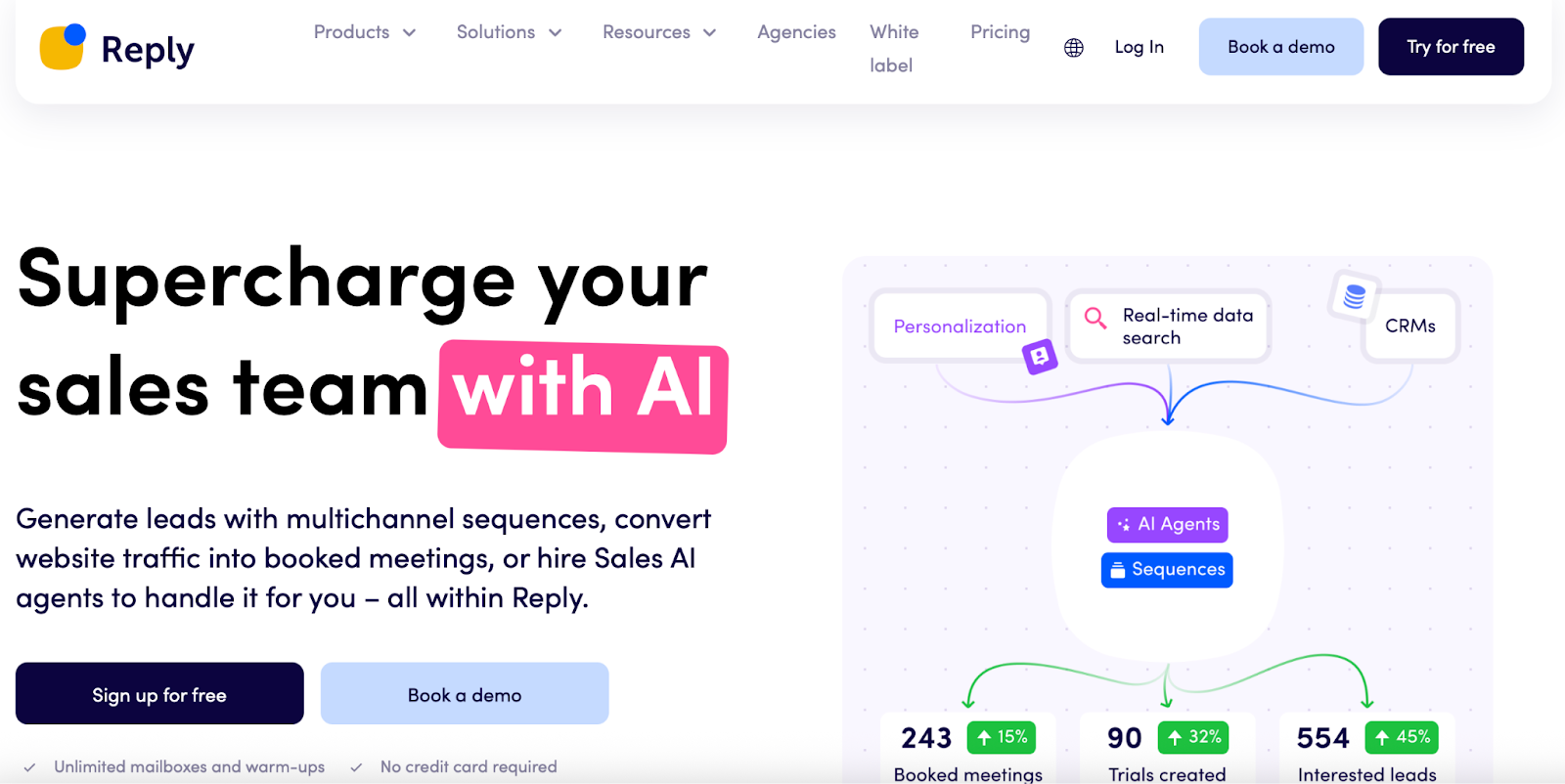
If you're considering Reply.io as a Mailshake alternative, here’s what you need to know before jumping in.
It does let you send cold emails, LinkedIn messages, texts, and even make calls.
But the moment you look deeper, you’ll notice problems that are hard to ignore.
Let’s break it down clearly so you don’t get stuck with surprise charges, poor support, or broken features.
Why is Reply.io a better Mailshake alternative?
- Multichannel Outreach:
You can reach people through email, LinkedIn, SMS, and phone, all from one place.
- Email Reporting:
The reports are easy to read.
You can quickly see how well a campaign is performing.
- Warm-up Tool:
They offer unlimited email warm-up through their Mailtoaster feature (though users raised concerns about its effectiveness).
- Agency Use Case:
Some users liked that it can handle multiple domains in one dashboard, helpful for lead gen agencies.
What’s Not Working Well in Reply.io?
- Interface Issues:

Many found the interface clunky, confusing, and buggy, especially when using sequences.
Sequences don’t always show where you expect them to, and editing them is frustrating.
- Poor Deliverability & Integration Problems:
LinkedIn accounts often disconnect. Emails land in spam.
HubSpot integration is buggy, and support struggles to help.
- Hidden & Unauthorized Charges:

Several users reported being charged without consent or after cancellation.
One user said they were locked into a $6K annual contract without notice.
- Lack of Support:

Customer support is a major complaint, described as rude, unresponsive, or slow.
Many reported being ignored even after repeated emails.
- Inconsistent Features:
Basic things like uploading contacts or viewing lists don’t work as expected.
Users reported needing to contact support often just to get things functioning.
Reply.io Pricing
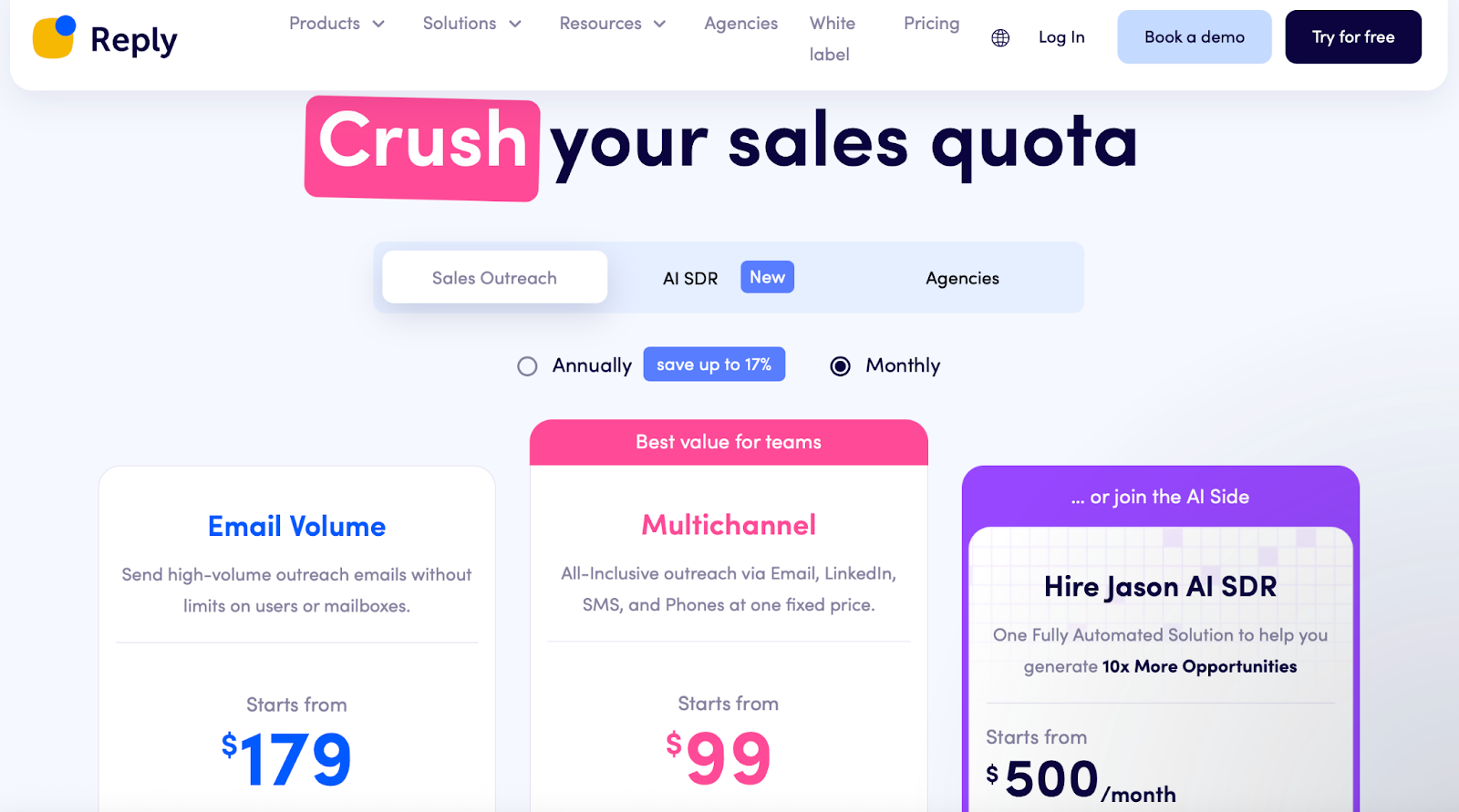
- Email Volume Plan: Starts at $179/month (unlimited users, 10K contacts/month)
- Multichannel Plan: Starts at $99/month per user (includes LinkedIn, SMS, calls)
- AI SDR (Jason AI): Starts at $500/month (fully automated outreach agent)
- Add-Ons: LinkedIn ($69/mo/account), SMS & Calls ($29/mo/account)
You’ll want to read the fine print, multiple users mentioned billing surprises and auto-renewals that were hard to cancel.
Mailshake vs Reply.io
Should You Pick Reply.io Over Mailshake?
If multichannel is your main priority, Reply.io does offer that.
But it comes with serious risks, billing concerns, broken LinkedIn outreach, and poor support make it a tough tool to rely on.
Most users ended up switching after constant bugs and frustrations.
For a Mailshake alternative you can trust long-term, you might want to look elsewhere.
7 Best Reply.io Alternatives & Competitors for Automated Sales Outreach
Conclusion
By now I guess you’ve already started comparing these outreach tools, wondering which one will finally fix your deliverability or help you scale without headaches.
Mailshake isn’t a bad tool, it’s clean and easy. But it hasn’t really evolved.
Once you start managing multiple domains or want deeper control, you’ll feel the cracks.
Here’s how I’d sum it up after testing them all:
- Salesforge feels like the version of Mailshake that should’ve existed by now — unlimited inboxes, built-in warm-up, LinkedIn outreach, and no nonsense pricing.
- Smartlead.ai sounds great on paper but gets messy fast. Too many bugs.
- Lemlist has personality, but it’s unstable and support takes forever.
- Apollo.io gives you solid data, but everything else feels complicated.
- Reply.io promises the world, but users keep getting burned by billing and support.
If you just want something that works, where your emails land, your inboxes stay healthy, and your campaigns scale cleanly, go with Salesforge.
It’s built by people who actually run outreach every day, not just build dashboards.
👉 Try Salesforge for your next campaign, and see what outreach feels like when your setup finally stops holding you back.
.png)
.png)
.png)
